Hooks
Hooks are pieces of code that we hook into the site so that they show on every page. This allows us to create our headers & footers in Beaver Builder using all of the available modules and styles and not be restricted by the theme headers & footers.
First of all, you need to create the row you would like to hook in and save it as a global row. You then need to go to appearance > theme editor > MAKE SURE YOU ARE ON THE CHILD THEME > functions.php
Now you enter the following:

There are four things you need to change within this hook. They are coloured above and below is an explanation in the corresponding colour of what to change it to. You will find the code here.
This is where you want the row to be placed - Click the button below to see a visual guide of all of the places you can hook into.
It does not matter what you type here as this is the name of the function you are creating, however, for future reference it should be something descriptive about what this function is doing.
This should be the name of the row you have saved and want to place here
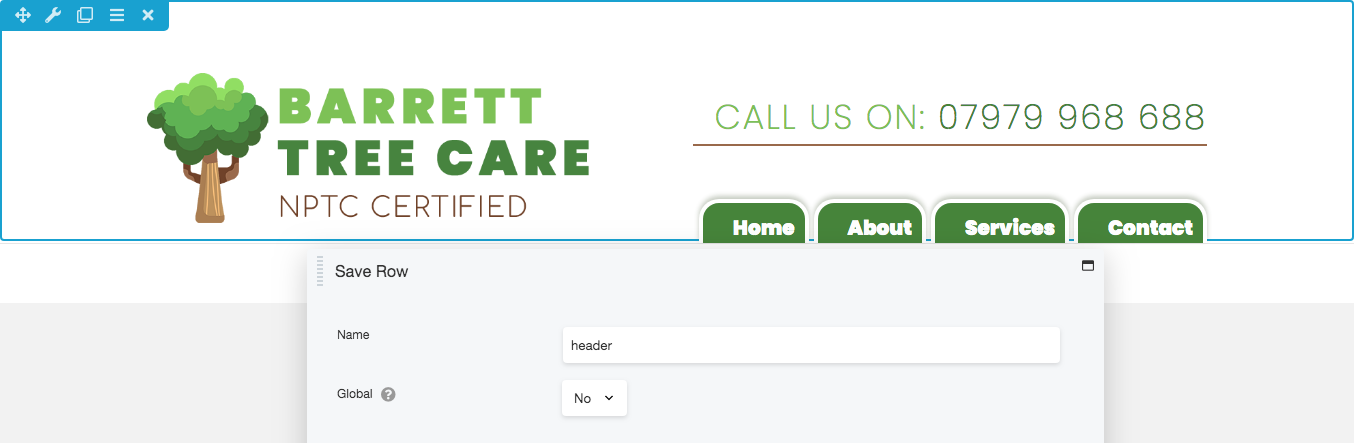
Header Example
So after creating the row you need to save it as the slug name: header
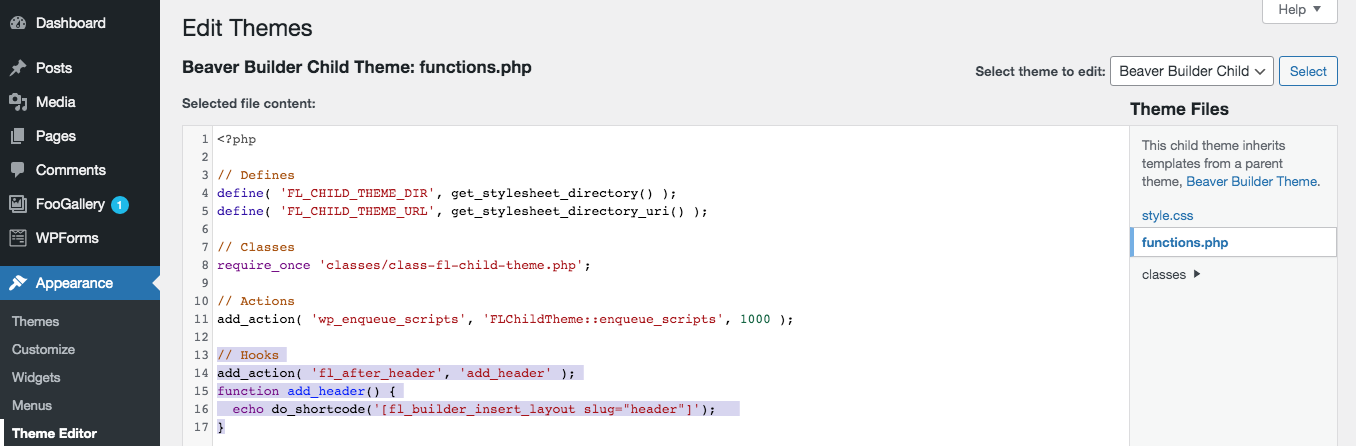
add_action: fl_after_header
function: add_header
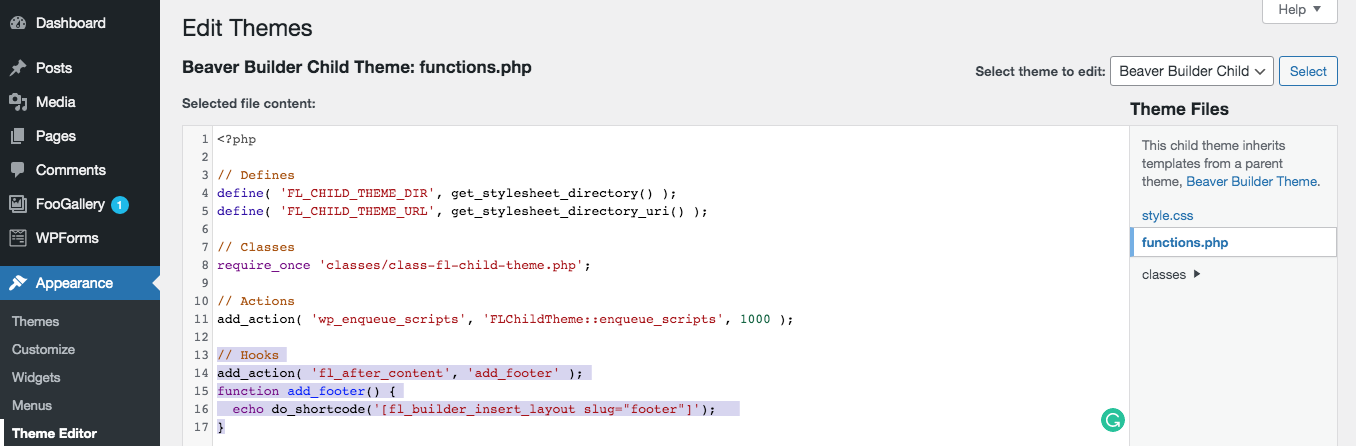
The code should look like this is the Theme Editor.
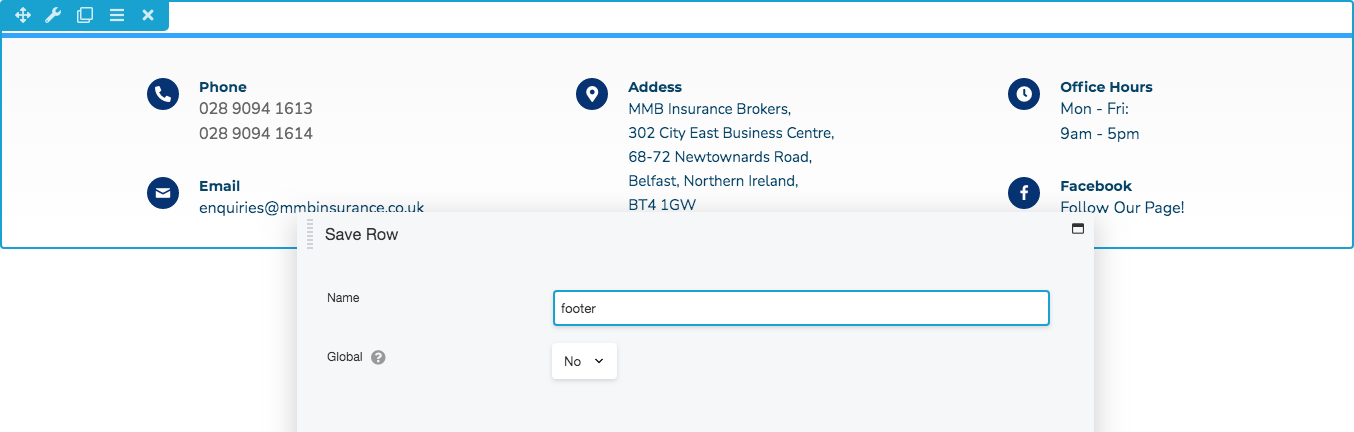
Footer Example
So after creating the row you need to save it as the slug name: footer
add_action: fl_after_content
function: add_footer
The code should look like this is the Theme Editor.